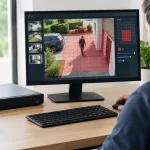
A camera system can look complete on installation day and become difficult to manage the moment a second location, a new access point, or 20 more cameras are added. Cloud networking changes that equation by giving installers, property managers, and security teams a central way to monitor, configure, and maintain the network infrastructure behind their security systems.
For multi-site businesses, the value is not simply remote access. It is knowing whether a switch port has lost power, an access point is overloaded, a camera has dropped offline, or a remote location needs a configuration update without sending a technician to the site. When the network is planned correctly, cloud-managed routers, switches, and wireless access points reduce service time while giving the security system room to grow.
What Cloud Networking Means for Physical Security
Cloud networking uses a secure online management platform to oversee network devices such as routers, PoE switches, managed switches, and wireless access points. The equipment remains installed at the property, but authorized users can view device status, apply settings, monitor performance, and troubleshoot from a browser or management application.
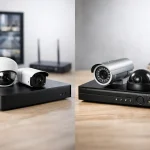
That distinction matters. Cloud networking is not the same as placing every camera recording in the cloud. A facility may still record locally to an NVR for dependable retention, high-resolution playback, and lower recurring storage costs. The cloud management layer is focused on network visibility and administration: the infrastructure that keeps cameras, recorders, access panels, intercoms, and wireless devices connected.
For a dealer or installer, this creates a more supportable deployment. For the end user, it creates a clearer operational picture. A retail owner with three locations can see whether each site is online. A property manager can identify a wireless coverage issue before tenants begin reporting connection problems. An integrator can standardize configurations across locations instead of manually rebuilding settings at every job.
Why Centralized Network Management Pays Off
Security systems depend on network uptime. A camera may be working perfectly, but if the switch loses power, the uplink fails, or wireless coverage is inconsistent, the result is still missing video and frustrated users. Centralized management helps separate device issues from network issues quickly.
A managed cloud switch can show which ports are active, how much power PoE devices are drawing, and whether a connected device has gone offline. This is especially useful for IP cameras, door controllers, IP speakers, and wireless bridges that receive data and power through a single Ethernet cable. Instead of beginning every service call with a site visit, a technician can review the network status first and determine whether the problem is likely power, cabling, configuration, bandwidth, or the endpoint itself.
Remote configuration also improves consistency. A business with several offices may need the same wireless network names, user access rules, VLAN structure, and device policies at every location. Applying those standards through a centralized platform reduces the chance that one site is configured differently from the others. That consistency makes future troubleshooting and expansion faster.
There is a cost benefit, but it should be viewed realistically. Cloud management can reduce truck rolls and shorten support time, particularly across multiple sites. It does not eliminate the need for qualified installation, cable testing, surge protection, or on-site repairs when hardware fails. The strongest results come from pairing remote management with properly installed infrastructure.
Better visibility for cameras and PoE devices
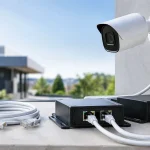
PoE is one of the most practical benefits in modern security deployments. A PoE switch can power an IP camera while carrying its network traffic over one cable. With cloud-managed equipment, installers can often verify port status and power use remotely rather than guessing whether a camera outage is caused by the camera, cable, switch, or power budget.
Power planning remains essential. A switch may have enough physical ports for 16 cameras but not enough total PoE wattage for 16 PTZ cameras, heaters, illuminators, or high-power wireless access points. Before installation, calculate the maximum power draw of every powered device and leave capacity for startup demand and future additions. Port count alone is not a sizing method.
Faster support across multiple properties
A single office can often be managed with traditional local networking. The case for cloud management becomes stronger when a customer has branch locations, warehouses, retail stores, multifamily properties, schools, or distributed facilities. These environments need common standards but often do not have IT staff at every site.
Remote device inventory, health alerts, firmware controls, and configuration templates allow a security dealer or internal administrator to maintain a clearer record of what is installed. That makes equipment replacement easier as well. If a router or switch must be swapped, documented settings and standardized configuration can reduce downtime significantly.
How to Design a Cloud-Managed Security Network
Start with the security workload, not the product catalog. Count cameras, access control panels, workstations, wireless devices, intercoms, and any equipment that will share the network. Then estimate where traffic will travel. A site with eight fixed cameras recording to a local NVR has different requirements than a facility with dozens of high-resolution cameras, multiple remote viewers, wireless coverage, and off-site monitoring.
Separate critical traffic whenever practical. Network segmentation using VLANs can keep cameras, access control, staff devices, guest Wi-Fi, and administrative equipment from competing unnecessarily or exposing each other to avoidable risk. A guest device should not have the same network access as a recorder or door controller. Segmentation also makes troubleshooting more direct because each category of traffic has a defined path.
Choose the router based on throughput, VPN needs, security features, and the number of connected clients. Choose switches based on port count, uplink capacity, PoE budget, and management features. Choose access points based on coverage area, construction materials, client density, and whether the environment requires indoor or outdoor hardware. A large warehouse, for example, may need a different wireless design than a small retail storefront because metal shelving, concrete walls, and open loading areas affect signal behavior.
Do not treat Wi-Fi as a default transport for every camera. Wi-Fi CCTV can be useful where running cable is difficult, temporary coverage is needed, or a properly engineered wireless link is available. For permanent, high-priority cameras, hardwired Ethernet is typically the more predictable choice. Wireless performance depends on signal strength, interference, client load, channel planning, and physical obstructions. It can work well, but it needs to be designed rather than assumed.
Build for bandwidth, not just connectivity
A network can show all devices as online while still performing poorly under load. High-resolution cameras, especially models using continuous recording, higher frame rates, multiple streams, or advanced analytics, can place meaningful demand on switches, uplinks, and storage paths.
Estimate camera bitrates at the recording settings the customer will actually use. Add live viewing traffic, remote access, access control events, wireless clients, and future growth. Use appropriate uplinks between switches and the main network equipment so the camera traffic does not create a bottleneck. A small installation may operate well with standard Gigabit connections, while a larger system may require higher-capacity uplinks and more deliberate core-switch planning.
Local recording is often the practical foundation for video surveillance because it keeps camera-to-NVR traffic on site. Remote viewing should be controlled, especially when several users are pulling live high-resolution streams at once. The goal is not to prevent remote access. It is to make sure remote access does not interfere with recording performance.
Security Practices That Cannot Be Optional
Cloud-managed equipment should simplify administration, not create an open door to the network. Use unique administrator credentials, multi-factor authentication where available, role-based permissions, and documented account ownership. An installer may need configuration access, while a site manager may only need visibility into basic device status. Not every user needs full control.
Keep firmware current, but schedule updates thoughtfully. Firmware can provide security fixes and compatibility improvements, yet updates should be tested or deployed during a maintenance window for critical sites. Confirm that camera recording, remote viewing, access control functions, and network connectivity are operating normally after major changes.
Protect the physical layer too. Use quality cabling, weather-rated components outdoors, proper grounding where required, and surge protection for exposed runs. Cloud tools can report an offline switch, but they cannot correct a damaged cable, water intrusion in a junction box, or an improperly terminated connector.
Document IP ranges, VLAN assignments, switch ports, device locations, credentials ownership, and warranty details at handoff. Good documentation is one of the simplest ways to make a security system easier to service years after the original installation.
Choosing the Right Approach for the Job
Cloud-managed networking is most valuable when a customer needs centralized oversight, repeatable site standards, remote support, or growth across several locations. It is also a practical fit for dealers managing recurring service relationships, since network health can be reviewed before dispatching a technician.
A small, single-site installation may not require every advanced management feature. In that case, a straightforward wired network, correctly sized PoE switch, and local NVR may be the most cost-effective design. The right solution depends on the property, the number of devices, the importance of remote administration, and the customer’s long-term plans.
Worldstar can help installers and buyers match cloud routers, managed switches, wireless access points, cameras, recorders, and access control equipment to the actual demands of the site. A well-planned network is not just background infrastructure. It is what keeps crystal-clear footage available, doors communicating, and future expansion from becoming an expensive rebuild.
Before adding the next camera or opening the next location, review the network first. The best time to create centralized visibility, power headroom, and clean segmentation is before the system needs them.