
Every installer has been there: the customer bought a box of cheap cameras online, picked up a recorder from somewhere else, and now wants you to “just make it work.” Hours later you’re still hunting for IP addresses, fighting with ONVIF settings, and explaining why the person detection they paid for never shows up on the recorder.
Using matched security cameras and NVR from one brand, such as Worldstar cameras paired with a Worldstar NVR, removes most of that friction. This guide breaks down where the time goes on a mixed-brand job, which features only work when the camera and recorder are designed together, and how a matched system can lower the total cost of ownership for installers, dealers, and business owners.


Plug-and-Play PoE vs. Manual ONVIF Setup
The first place a matched system saves time is the first hour on site.
Matched Worldstar system: plug in, discover, add
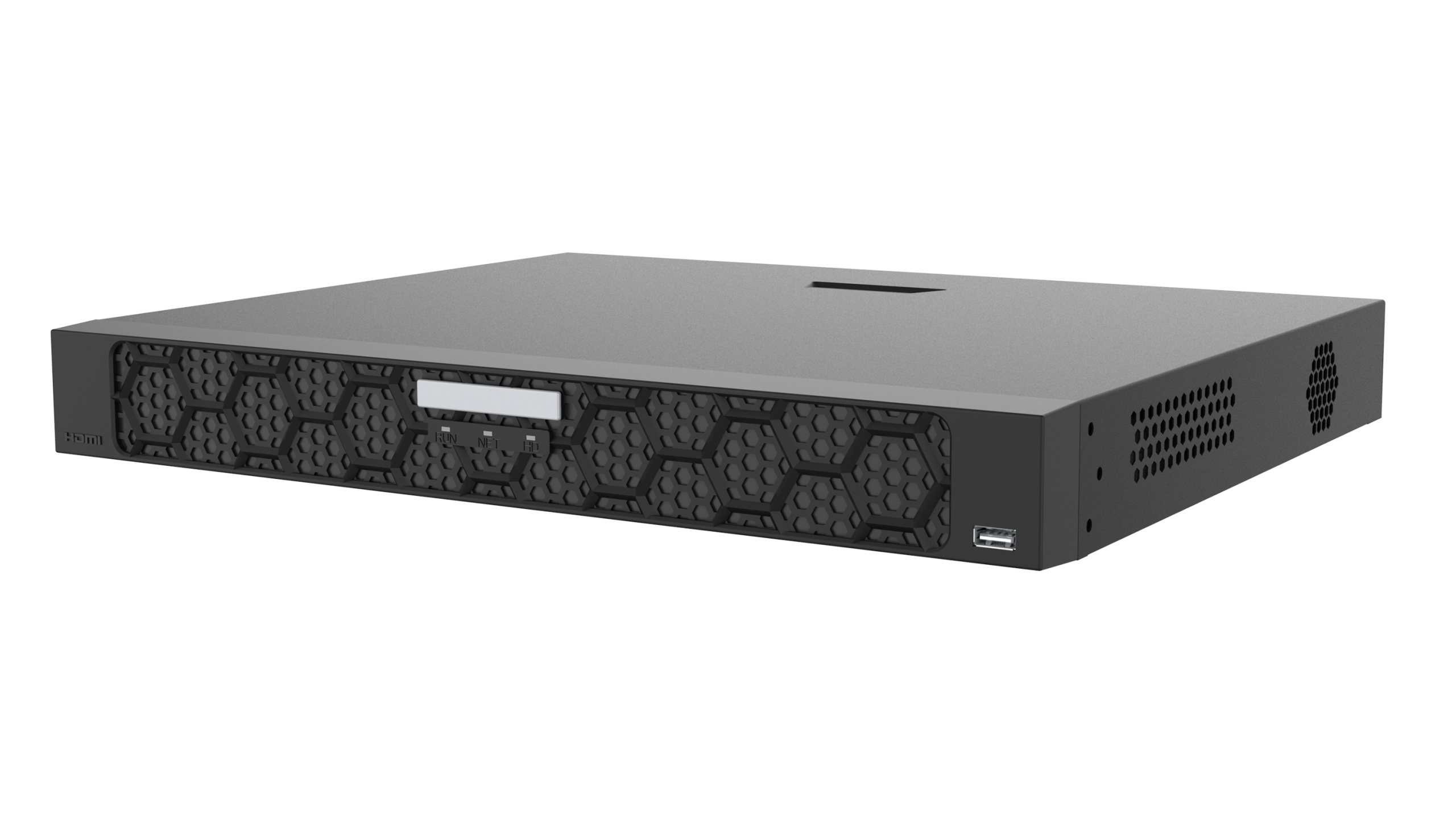
With a Worldstar NVR that has built-in PoE ports, you plug a Worldstar IP camera into the recorder (or a Worldstar PoE switch on the same network), and the NVR can auto-discover it. Adding cameras is typically a one-click or few-click process from the NVR’s interface. The recorder handles addressing, credentials, and stream settings, so the tech can move straight to aiming and focusing.
Mixed-brand system: IP hunting and protocol guesswork
Third-party cameras usually join the recorder through ONVIF. ONVIF is a useful open standard, but in practice it often means:
- Running a discovery tool on a laptop to find each camera’s default IP address
- Changing subnets, resetting passwords, and enabling ONVIF manually on each camera
- Matching stream profiles, resolution, and frame rates by hand
- Troubleshooting cameras that appear on the network but won’t stream to the recorder
Multiply that by every camera on a job and the “cheap” hardware quickly becomes expensive labor.
Features That Only Work When Camera and Recorder Match
ONVIF is designed for interoperability, which generally means the basics: live video, recording, and sometimes simple motion events. Many of the features customers actually buy cameras for depend on the camera and recorder speaking the same proprietary language.
AI detection events and smart search
Worldstar IP and AI cameras with human and vehicle detection send those AI events directly to the Worldstar NVR. That lets the recorder trigger alarms on real people and vehicles instead of moving branches, and lets users run smart search to jump to the clips that matter. On a mixed-brand setup, those AI events may never reach the recorder, leaving the customer with basic motion detection and a lot of false alerts.

Two-way audio and active deterrence
Two-way audio, deterrence lights, and sirens are some of the most requested features for retail, warehouses, and homes. With matched security cameras and NVR from Worldstar, they can be configured and triggered from the NVR and the mobile app. Through generic ONVIF, these functions are often unavailable or unreliable.
Advanced Mode compression
Worldstar cameras and NVRs support Advanced Mode compression, which can significantly reduce bandwidth and storage use compared with standard compression while keeping image quality. That can mean longer retention on the same hard drives. Advanced Mode works end to end when the camera and recorder are designed to handle it together.
Firmware pushed from the NVR and remote configuration
A Worldstar NVR can be used to manage connected Worldstar cameras, including updating camera firmware and adjusting camera settings from the recorder or remotely. With third-party cameras, each one usually needs to be updated and configured through its own web page or software.
Mobile app support
Matched security cameras and NVR give end users one mobile app for live view, playback, AI alerts, and two-way audio. Mixed systems often leave customers juggling multiple apps or missing features in the one they use.
Comparison: Matched Security Cameras and NVR vs. Mixed-Brand Setup
| Factor | Worldstar Cameras + Worldstar NVR | Cheap Online Cameras + Unmatched Recorder |
|---|---|---|
| Camera setup | PoE auto-discovery and one-click adding | Manual IP hunting and ONVIF configuration |
| AI detection and smart search | Events passed to the NVR and app | Often limited to basic motion |
| Two-way audio, lights, sirens | Configurable from NVR and app | Frequently unsupported |
| Compression | Advanced Mode for bandwidth and storage savings | Standard codecs; vendor features may not carry over |
| Firmware updates | Pushed from the NVR for connected cameras | Camera-by-camera, multiple vendors |
| Remote management | One app, one platform | Multiple apps or web pages |
| Warranty and support | One brand, one support contact | Separate vendors, possible finger-pointing |
| Replacements and spares | Consistent models across jobs | Unpredictable stock and models |
| NDAA documentation | NDAA-compliant options available | Often unclear sourcing |
| Total cost of ownership | Higher predictability, less labor | Low upfront price, more labor later |
Fewer Callbacks and Truck Rolls
The real cost of a mismatched system usually shows up after the install. Cameras that drop offline after a recorder update, motion alerts that flood the customer’s phone, or a stream that stops after a power outage can all lead to a callback. Each truck roll takes a tech away from billable work.
Because Worldstar cameras and NVRs are developed and tested to work together, there are fewer variables to go wrong. When something does need attention, many issues can be checked and fixed remotely instead of on site.
One Warranty, One Support Contact
When a mixed system fails, the camera seller blames the recorder, the recorder seller blames the camera, and the installer is stuck in the middle. With a matched Worldstar system, there is one brand responsible for the cameras, the NVR, and how they work together. Dealers and installers get one support team that understands the whole system, and business owners get a single warranty path instead of chasing multiple vendors.
Firmware Compatibility and Cybersecurity Updates
Firmware updates matter for both features and security. In a mixed system, updating the recorder can break compatibility with third-party cameras, and some low-cost online brands may stop releasing updates altogether. That can leave devices exposed to known vulnerabilities.
With matched security cameras and NVR, firmware is designed to stay compatible, and updates can be rolled out from the NVR. Worldstar also offers free software upgrades for the life of supported products, which helps keep systems current without extra cost to the customer.
Easier Troubleshooting and Replacements
When every device on a job comes from the same brand, troubleshooting follows a familiar path. Techs know the menus, the default behaviors, and the logs. Replacing a failed camera is often as simple as swapping in the same model and letting the NVR pick it up, rather than reconfiguring a new third-party unit from scratch.
Spare Parts and Training Consistency Across Jobs
Standardizing on one brand lets dealers stock a focused set of cameras, NVRs, and PoE switches that cover most projects. Techs learn one interface and apply it on every site, so new hires get up to speed faster and senior techs spend less time answering “how do I add this camera?” questions. That consistency is hard to achieve when every job uses whatever the customer found online.

Mobile App and Remote Management for Maintenance
With a matched Worldstar system, installers can check camera health, review recording status, adjust settings, and help customers remotely through the mobile app and remote access tools. That can turn many service requests into a quick remote session, and it opens the door to ongoing maintenance plans, a recurring service that is easier to deliver on a platform your team knows well.
Total Cost of Ownership: Cheap Upfront vs. Labor Later
Low-priced cameras can look attractive on a quote, but the equipment price is only one part of the cost. A realistic total cost of ownership includes:
- Installation and configuration labor
- Callbacks, truck rolls, and remote support time
- Storage requirements (affected by compression efficiency)
- Firmware maintenance and security patching
- Replacement hardware and the time to set it up
- The cost of a missed incident because a feature didn’t work
Matched security cameras and NVR from Worldstar can reduce several of these line items at once, which often makes it the more economical choice over the life of the system.
NDAA Considerations
For government sites, federal contractors, and businesses that follow federal procurement guidance, Section 889 of the NDAA restricts certain video surveillance equipment. Mixed systems built from unknown online brands can make compliance hard to document. Worldstar offers NDAA-compliant security camera equipment, so if your project has NDAA requirements, confirm the specific models with the Worldstar sales team before you quote.
Customer Satisfaction and Referrals
Customers judge a security system by a few simple things: Does it record? Can I see it on my phone? Do the alerts make sense? Can I find footage quickly? A matched system delivers those basics reliably, along with the AI detection, smart search, and deterrence features they expect. Satisfied customers are more likely to call you back for expansions and recommend you to others, and that kind of word-of-mouth is hard to earn with a system that keeps breaking.
Quick Checklist: Before You Quote the Next Job
- Are the cameras and NVR from the same brand and verified to work together?
- Will AI detection events and smart search work on the recorder and in the app?
- Are two-way audio, deterrence lights, and sirens supported end to end?
- Does the system support Advanced Mode compression to reduce storage needs?
- Can camera firmware be updated from the NVR?
- Is there one warranty and one support contact for the whole system?
- Are NDAA requirements identified and documented for the site?
- Do you have spare cameras of the same models in stock?
- Have you planned camera placement and storage with a site planning tool?
Frequently Asked Questions
Can I use third-party cameras with a Worldstar NVR?
Many ONVIF-compatible cameras can connect to a Worldstar NVR for basic video and recording. However, advanced features such as AI detection events, smart search, two-way audio, deterrence controls, Advanced Mode compression, and firmware pushed from the NVR are designed for matched Worldstar cameras.
What is ONVIF, and why isn’t it enough?
ONVIF is an open standard that lets cameras and recorders from different manufacturers communicate. It covers core functions like streaming video, but brand-specific features usually aren’t fully supported, so a mixed system may lose many of the capabilities the customer paid for.
What is Advanced Mode compression?
Advanced Mode is Worldstar’s enhanced video compression. It can reduce bandwidth and storage use compared with standard compression while maintaining image quality, which can extend recording retention on the same drives.
Do I need a separate PoE switch with a Worldstar NVR?
Many Worldstar NVRs include built-in PoE ports for direct camera connection. For larger systems or longer cable runs, a Worldstar PoE switch can expand the number of cameras while keeping auto-discovery simple.
Are Worldstar cameras NDAA compliant?
Worldstar offers NDAA-compliant security camera equipment for projects that require it. Contact the sales team to confirm compliance for the specific models in your quote.
How do I become a Worldstar dealer?
Complete the dealer application on the Worldstar website. A sales professional will contact you to set up dealer pricing and discuss the products and tools that fit your business.
Build Your Next System the Easy Way
Matched security cameras and NVR mean faster installs, fewer callbacks, and happier customers. Plan your next project with the Worldstar Site Planner, explore the Dealer & Installer Tools, and talk to our team at sales@worldstarcctv.com for help choosing cameras, NVRs, and PoE switches.
Are you an installer or integrator? Become a Worldstar dealer to access dealer pricing and support for every job.


