
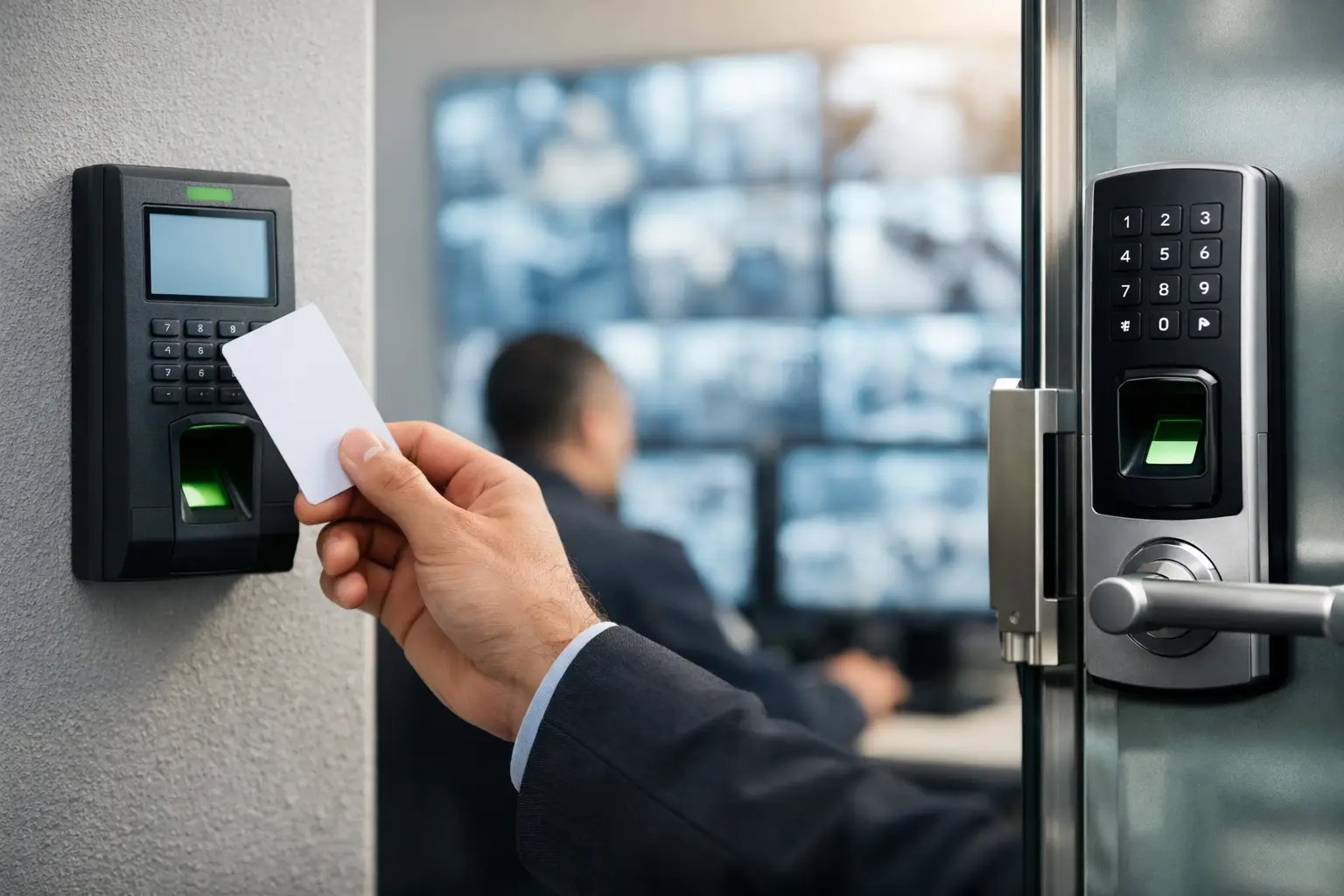
A lost key sounds minor until it belongs to a side entrance, a stockroom, or a server closet. At that point, the real issue is not the key itself. It is the lack of visibility. Access control systems solve that problem by replacing guesswork with managed entry, user permissions, and event tracking that can be adjusted as your site changes.
For installers, integrators, and property managers, that shift matters because door security is rarely just about locking and unlocking. It affects employee safety, tenant access, delivery management, after-hours control, and how quickly a business can respond when something goes wrong. The right system can also reduce rekeying costs, simplify user administration, and work alongside surveillance, alarms, and network infrastructure instead of operating as a separate island.
What access control systems actually do
At the most basic level, an access control system decides who can enter, where they can go, and when they are allowed in. That decision is made through credentials such as cards, fobs, PIN codes, mobile apps, or biometrics, then enforced by readers, controllers, locks, and management software.
In a small office, this might mean replacing a mechanical front door key with a card reader and a few employee credentials. In a larger property, it can mean managing multiple buildings, restricted interior doors, elevator permissions, schedules, visitor access, and audit trails from one interface. The hardware at the door matters, but the real value comes from control and visibility across the entire site.
This is why access control is often one of the first upgrades businesses make after video surveillance. Cameras show what happened. Access control can help prevent the wrong person from getting in to begin with, while also documenting every valid or denied attempt.
Why businesses are moving away from traditional keys
Mechanical keys still have a place, but they create operational problems as sites grow. Keys can be copied, shared, lost, or never returned. When staff changes happen, the cost is not limited to making a few new keys. In many cases, the only secure response is rekeying doors, redistributing hardware, and hoping every old copy is accounted for.
Access control systems handle that differently. A lost card or credential can usually be deactivated in software within minutes. Permissions can be changed by user, by door, or by schedule. A contractor can get temporary access for a single weekend. An employee can be limited to only the entrances and time windows they actually need.
That level of control is especially useful in retail stores, schools, offices, warehouses, medical facilities, and mixed-use properties where access needs vary by role. It is also useful for dealers and integrators supporting customers who expect a system to scale without a full rip-and-replace every time one more door is added.
The core parts of an access control system
Most access control systems include the same core building blocks, but the right combination depends on the site. Readers identify the credential presented at the door. Controllers process that information and decide whether access should be granted. Locks and exit devices secure the opening. Software ties the system together for user management, schedules, reporting, and remote administration.
The door hardware deserves more attention than it sometimes gets. A strong reader paired with the wrong lock, poor cabling, or a mismatched power supply can create service issues from day one. This is one reason integrators tend to evaluate the opening as a full assembly instead of treating the reader as the only real decision point.
Credential choice also matters. Cards and fobs are familiar and cost-effective, but mobile credentials are gaining traction because users already carry their phones. PIN entry works well in some environments, though code sharing can become a problem. Biometrics can add security, but they bring cost, environmental, and user acceptance considerations. There is no universal best option. The right fit depends on traffic flow, security level, budget, and user behavior.
Where access control systems deliver the most value
The most obvious benefit is better door security, but day-to-day operations often drive the buying decision. A business with employee turnover may care most about quickly adding and removing users. A property manager may need to handle vendor schedules, tenant amenity access, and common-area restrictions without visiting every building. A school may need lockdown support and clear audit trails. A warehouse may want tighter control over inventory areas and loading zones.
Multi-site management is another major advantage. If a company operates several offices, stores, or facilities, centralized software can save time and reduce inconsistency. Instead of managing each location separately, administrators can apply policies across sites, check events remotely, and respond faster when access issues come up.
This is where cloud-managed platforms can make sense. They simplify remote administration and often reduce the need to be on-site for routine changes. That said, cloud is not automatically the right answer for every customer. Some buyers prefer local control because of internal IT policies, compliance requirements, or network design. The better approach is to evaluate how the customer wants to manage the system long term, not just how the system is sold on day one.
Matching the system to the door and the site
A single front office door has very different requirements than a gated industrial yard or a multi-tenant building. Door material, fire rating, egress requirements, weather exposure, user volume, and existing infrastructure all affect product selection. If these details are missed early, the result is often delays, change orders, or hardware that does not perform the way the customer expects.
For exterior doors, weather resistance and stable power matter more than many buyers realize. For interior high-traffic doors, durability and clean credential reads can make the difference between smooth operation and constant service calls. For sites with limited wiring paths, wireless lock options may help, though they may not fit every opening or traffic level.
It also pays to think beyond current needs. If the customer only wants two doors today but expects to add a back entrance, an equipment room, and a second suite later, choosing a scalable platform upfront usually saves money and labor over time. Growth planning is not flashy, but it is one of the clearest marks of a well-designed system.
Integration makes the system more useful
Access control gets stronger when it works with the rest of the security stack. Pairing doors with video surveillance lets users verify events visually instead of relying only on timestamps and door logs. If a door is forced open or held open too long, the operator can review the associated camera view immediately. That improves response time and makes investigations easier.
Integration with intercoms, alarm inputs, and network infrastructure also matters. A front office may want remote door release with video verification. A commercial site may want access events tied to intrusion schedules. A multi-building property may need switches, cabling, and wireless connectivity sized correctly so cameras, readers, and management platforms all perform reliably on the same network.
For many buyers, this is the point where working with a supplier that understands the full system becomes more valuable than buying a reader and lock from separate sources. Worldstar serves that need by supporting not just access control hardware, but also cameras, networking, accessories, setup support, and long-term service after the sale.
Common mistakes that create problems later
Most access control issues do not come from the idea of the system. They come from poor planning. One common mistake is underestimating the opening. A door may require different lock hardware, request-to-exit devices, or life-safety compliance than expected. Another is choosing software that handles today’s users but becomes difficult once more locations or credential types are added.
There is also the issue of support. Some low-cost systems look attractive upfront, then become expensive when firmware updates, integrations, or replacement parts are difficult to manage. Installers and end users usually feel that pain long after the initial quote has been approved.
The better path is to evaluate reliability, expansion options, credential management, and support availability before purchase. Price matters, but downtime, truck rolls, and customer frustration cost money too.
Choosing access control systems with long-term value
If you are comparing access control systems, start with the opening count, user count, credential preference, and management style. Then look at the surrounding infrastructure – cameras, network capacity, power, and any required integrations. A good system should fit the way the site operates now while leaving room to expand without major disruption.
For dealers and integrators, the strongest projects are usually the ones that balance security goals with installation reality. For business owners and property teams, the best results come from systems that are simple to administer, dependable at the door, and clear enough that staff can use them without constant retraining.
The right access platform does more than replace keys. It gives you control over how a property runs, who can move through it, and how quickly you can respond when conditions change. When that system is designed correctly from the start, every door becomes easier to manage and harder to compromise.


