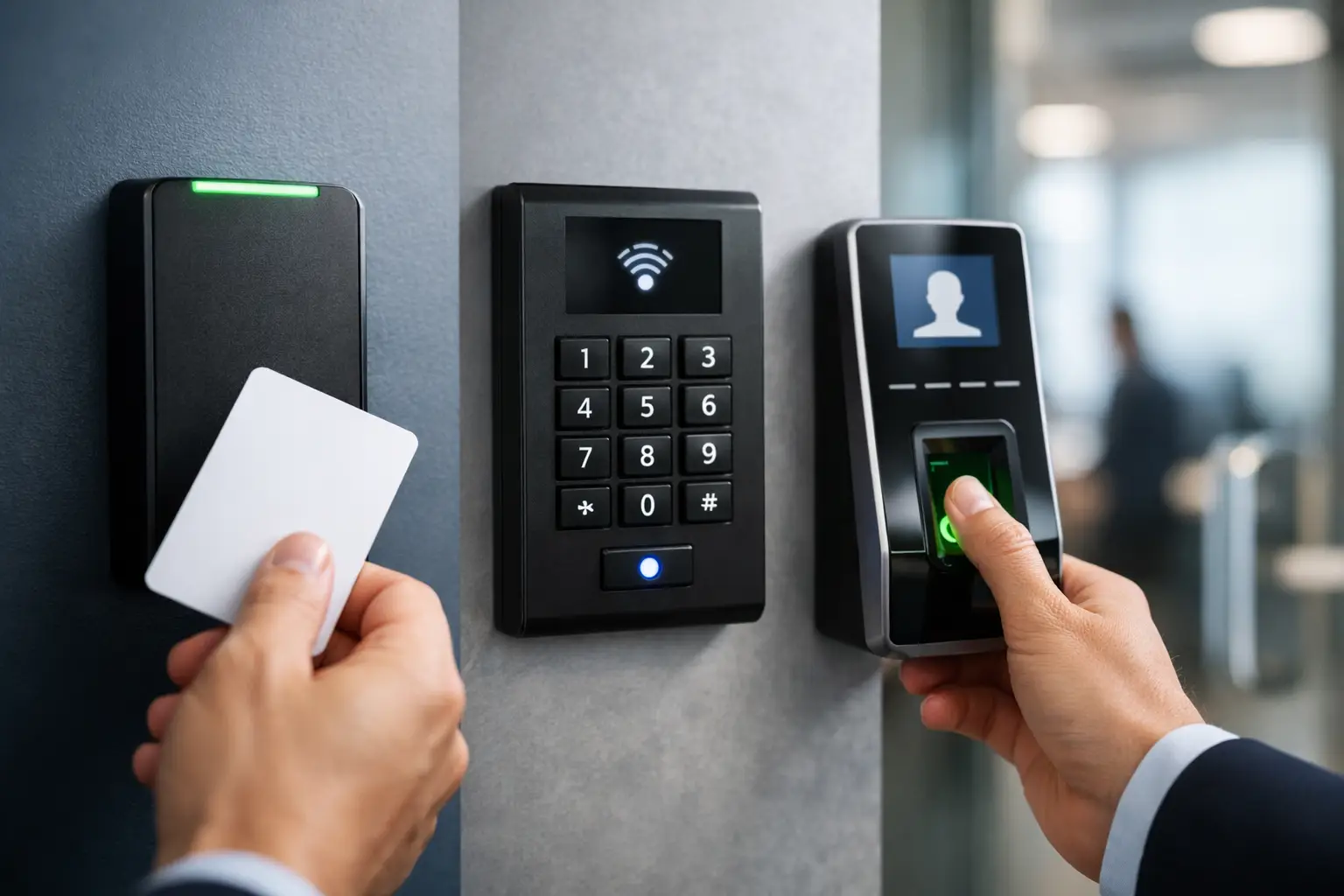
A failed card read at a busy employee entrance is more than an inconvenience. It delays operations, encourages doors to be propped open, and creates an immediate support call for the installer. The best commercial access control readers are the ones that match the opening, credential policy, environment, and controller architecture from the start – not simply the readers with the longest feature list.
For dealers, installers, property managers, and business owners, reader selection affects labor time, daily usability, future expansion, and the level of security a facility can realistically maintain. A low-cost proximity reader may be appropriate for a locked supply room. A multi-technology reader with mobile credentials and encrypted communication may be the better investment for a corporate office, school, medical facility, or multi-site property.
What Makes a Commercial Reader the Right Choice?
A commercial access reader identifies a credential and sends that information to the access control panel or door controller. The controller decides whether to release the lock, log the event, trigger a schedule, or deny entry. That basic workflow is consistent across systems, but the communication method, credential technology, mounting location, and management software can vary significantly.
The right reader should fit the system before it fits the budget. Start with the controller’s supported reader interfaces, such as Wiegand or OSDP. Wiegand remains common in existing installations and can simplify a replacement project. OSDP is usually the stronger choice for new commercial installations because it supports supervised communication, can provide encrypted data transfer, and allows more advanced reader functions.
Credential security matters just as much. Standard 125 kHz proximity cards are affordable and widely used, but they are easier to copy than modern encrypted smart credentials. If the site protects sensitive records, expensive inventory, controlled substances, server rooms, or restricted employee areas, use a credential platform designed for stronger authentication.
Best Commercial Access Control Readers by Application
There is no single reader category that wins at every opening. The best choice depends on how people enter, what they carry, how much traffic the door sees, and what the organization needs to protect.
Multi-technology smart card readers for new installations
For most new commercial systems, a multi-technology smart card reader is the most flexible starting point. These readers can support encrypted smart cards, key fobs, and, in many cases, mobile credentials. They are well suited to offices, retail back rooms, apartment common areas, warehouses, schools, and mixed-use properties where credentials may change over time.
Their major advantage is migration flexibility. A customer may begin with physical cards, then issue mobile credentials to managers, contractors, or rotating staff without replacing every reader. This can reduce the administrative burden of lost cards and make temporary access easier to issue and revoke.
Choose models with OSDP support when the controller supports it. OSDP wiring requires more planning than a basic Wiegand connection, but it provides a more secure, serviceable path for commercial deployments. Confirm cable type, maximum cable distance, reader address settings, and controller firmware requirements before installation.
Mobile credential readers for convenience-focused sites
Mobile access readers are a practical option for businesses that want employees to use smartphones instead of plastic cards. They work especially well for professional offices, coworking spaces, managed properties, and multi-site businesses with frequent staff turnover.
A phone-based credential can be issued remotely, scheduled for certain hours, and revoked without collecting a physical card. That saves time for property managers and creates a cleaner credential process for new hires and contractors. Mobile access also works well at employee-only entrances where users arrive with hands full of equipment, deliveries, or personal items.
The trade-off is adoption. Not every employee wants to use a personal phone for building entry, and some facilities need a physical credential option for visitors, shared workers, or emergency backup. The most reliable deployment often supports both mobile and card credentials rather than forcing a single method.
Keypad readers for layered verification
Keypad readers add a PIN to the entry process. They are useful where a card alone is not enough, such as server rooms, cash offices, pharmacies, records storage, maintenance areas, and management offices. A card plus PIN configuration gives the site two forms of verification while keeping entry faster than a fully biometric workflow.
Keypads also help at locations that need occasional code-based access. A temporary PIN can be assigned to a vendor or contractor, then removed once the work is complete. However, PINs must be managed carefully. Shared codes weaken accountability, and worn keys can reveal frequently used digits. Use unique PINs, rotate them when needed, and review access logs regularly.
Weatherproof readers for exterior doors and gates
Exterior openings need readers built for the actual environment, not just a reader placed under a small awning. Rain, sun exposure, dust, salt air, temperature swings, and vandalism all affect reliability. For loading docks, perimeter gates, employee entrances, parking areas, and industrial buildings, select a reader with an appropriate weatherproof rating and a durable enclosure.
Mounting details matter. Protect cable transitions, use properly sealed conduit where required, and place the reader where users can reach it without stepping into traffic or blocking a door swing. For vehicle gates, long-range credential readers may be a better option than asking drivers to stop, open a window, and present a card in poor weather.
Biometric readers for high-accountability openings
Biometric readers, including fingerprint and facial recognition options, are designed for locations where credential sharing is a serious concern. They can be appropriate for labs, high-value storage, restricted production zones, healthcare areas, and facilities with strict compliance requirements.
Their benefit is accountability: a user cannot easily hand a fingerprint or face credential to another person. The trade-offs are cost, enrollment time, privacy policy requirements, and performance considerations. Dirty hands, gloves, lighting conditions, masks, and user acceptance can affect the experience. In many commercial settings, biometric verification is best used on a limited number of sensitive doors rather than throughout the entire building.
Reader Interface: OSDP vs. Wiegand
This decision should be made early because it affects wiring, controller compatibility, and future security options. Wiegand readers are common, simple to replace, and useful when upgrading an older system without changing the control panel. For existing sites, maintaining Wiegand may be the most cost-effective approach if the risk level is low and the customer needs a fast retrofit.
For new installations, OSDP is generally the preferred commercial interface. It supports two-way communication between the reader and controller, provides reader supervision, and can support Secure Channel encryption when both devices are configured correctly. That makes it harder to intercept or manipulate credential data on the cable run.
Do not assume that an OSDP-capable reader automatically delivers encrypted communication. The controller, reader configuration, wiring topology, and software settings all need to support it. During commissioning, test valid access, denied access, door-held-open events, tamper inputs, and reader communication loss.
Match the Reader to the Entire Door Package
A reader is only one part of the opening. The lock, request-to-exit device, door contact, power supply, fire alarm interface, controller, and cabling all need to work as one system. A premium reader will not correct an improperly sized power supply, weak door hardware, or a missing egress plan.
For each door, document the credential type, reader interface, lock type, power requirements, door construction, cable pathway, and expected traffic level. Also determine whether the opening must fail safe or fail secure during a power loss. This is especially important when readers are paired with maglocks, electric strikes, or electrified panic hardware.
For multi-door or multi-site projects, centralized management adds real operational value. The ability to add users, change schedules, review events, and manage all access points from anywhere can reduce truck rolls and speed up support. Before promising remote management, verify network requirements, controller licensing, cloud service terms, and the customer’s IT policies.
Avoid These Common Reader Selection Mistakes
The most expensive reader problem is often a planning problem. Avoid selecting a card technology before confirming what the controller supports. Avoid installing an indoor reader outdoors because it is available in stock. Avoid mixing credential formats without a clear enrollment and replacement plan.
Also consider the user journey. A warehouse employee wearing gloves may need a large-format card reader or long-range solution. A healthcare office may need touchless mobile access. A retail manager may value a keypad for after-hours accountability. The reader should make authorized entry simple while making unauthorized entry harder.
Worldstar can help dealers and end users build a complete access control package around the door, controller, power, network, and credential requirements instead of treating the reader as a standalone purchase.
The most dependable commercial installation begins with a small decision made correctly: choose a reader that supports how the site operates now, then leave room for stronger credentials, better reporting, and additional doors when the property grows.